|
C-7 Home Page
Losmandy Overview |
||

|
| Gemini Versions and Levels |
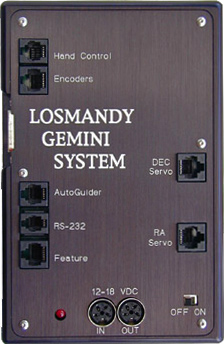
The Losmandy Gemini system is a DC servo motor based 'Go To' computerized positioning system designed by Dr. R. Goerlich, a customer of Company Seven, for the Losmandy Titan, HGM200, and G-11 and GM-8 German Equatorial Mounts. The Gemini system has many features designed to quickly and accurately set up the telescope, point the telescope precisely onto an object, then track it with an even higher precision than the previous Model 492 digital stepper drive used by Losmandy. Gemini can be commanded by the operator either locally, standing alongside the mount, or remotely via a suitable network. This makes the Gemini equipped Losmandy mount capable being controlled from home while the telescope and mount are operating from within a shelter (such as a dome or shed) elsewhere, in the back yard or even overseas!
Left: Losmandy Gemini System Control Panel (45,778 bytes).
The system can be ordered with any new Losmandy German Equatorial Mount. Or, unlike other premium performance computer control systems the Gemini system is engineered so that the system (motors, etc,.) can be easily retrofitted by an amateur user who already owns a compatible Losmandy mount. Similarly the Model 492 system could be installed in place of a Gemini system. The Gemini system is installed simply by replacing the existing Losmandy Model 492 system stepper drive motors and electronics console; Allen Head wrenches and a small pair of pliers are the only tools required to convert the drive.
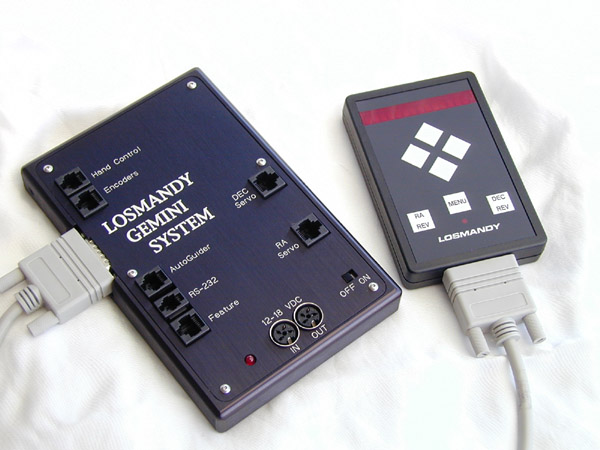
Gemini consists of a Control Panel housing the CPU and firmware of the system, with a Hand Control (a hand held box), and two motors each with high resolution encoders*, and coiled flexible cables that connect the motors to the Control Panel. The user provides 12 to 18 volt DC power, Company Seven recommends 18 volts, and can control the telescope and mount from the Hand held Control Box. The Gemini Control Panel inputs include provisions for communication by RS232/422 to a personal computer, or for control from farther away on through a Router and Network. The Gemini Control Panel inputs also facilitate expanding the system to work with other devices including Global Positioning System Receiver.
* Note: Company Seven does not recommend the Gemini system be used with optional position reading encoders such as the Losmandy Model DSCH Digital Setting Circles since the more recent versions of the Gemini argue over resolution differences between those of add-on encoders and the data provided by the higher resolution Gemini motor encoders.
• The Maxon motors provide an increase of 30% per cent torque over the standard motor. These motors can run the mount better at 12 volts (cutting top end slew rates) and better at 18 volts than the standard motor.
As a result the Gemini system can deliver up to *10 degrees per second slewing rates, yet still retain motor positional information of around 1/10th of an arc second (* maximum speed with the G-8). Expect approximately 6 degrees per second with G-11, the HGM200, and the Titan mount models).
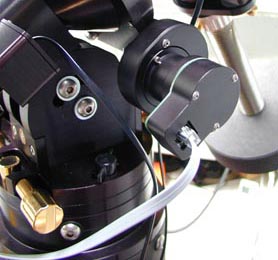
Available as an upgrade for the Gemini system on the GM-8 and G-11 mounts, and standard equipment with the larger Titan mount are the Swiss made Maxon Right Ascension and Declination drive motors set. The Maxon motor provides:
1. Standard motors employ three magnets and provide three poles parallel to the shaft. As you manually turn the motor shaft you can feel a pulsing three times per revolution with the standard motors. The Maxon motor has nine poles furthermore, these are not just parallel to the shaft but are spun to form a helix around the shaft. So when the Maxon motor turns one is less likely to feel any pulse, the motor has a a lower frequency vibration and this can be seen visually as improved fine detail on planets for example.
2. The Maxon motors provide an increase of 30 per cent torque over the standard motor. These motors can run the mount better at 12 volts (by cutting top end slew rates) and better at 18 volts than the standard motor.
No personal computer is required to operate Gemini. A user brightness adjustable LED display allows navigation through all internal databases for field use without a PC. The following databases comprising about 41,000 objects are built into the Gemini system, more than enough to keep even the most avid observer busy for some time! However, for quicker navigation of the sky Company Seven recommends the use of an optional personal computer with suitable third party planetarium software to control the Gemini system.
... and 4,000+ User Catalogs objects down and uploadable via the serial interface.
It is not possible to upload Gemini's databases to your PC. Customers of Company Seven who want to compile specific observing lists for the night using the objects from the Gemini's databases can find them available for downloading at Company Seven's Losmandy Library. These are in the Gemini User Catalogue (.guc) file format, ASCII text. While these files are in the Gemini User Catalog and appear with the suffix "guc", any text editor will open them. So you can download each, and copy and paste your targets using your favorite editor to build your specific programs for the night.
The Gemini system has an impressive list of features including:
Gemini uses a Meade LX200 command sub-set with most LX200 commands being implemented. The user can update the internal real time clock via the PC link as well as user location information. Coupled with The Sky by software Bisque and CCD camera, users can confidently determine the positions of minor planets and comets, and place them on a CCD detector time and time again.
The Gemini design incorporates surface mounted PC board technology for reliable performance in the field. The main control board also has autoguider and accessory ports to allow full remote control of the system, either via a local PC, via a LAN or via the internet. Gemini has been successfully tested with Software Bisques IAS server software.
Optional GPS Reciever: A GPS system is not necessary for using the Gemini system, and it has been our experience at Company Seven that one will have a need for GPS only to expedite some software set ups at locations that are far from where one routinely operates the system. Even when in distant countries there are alternative ways to set up and index a 'Go To' mount. But we give you the option of a plug-in GPS receiver made by Garmin that is the "plug-and-play"* solution for the Losmandy Gemini mounts. The basic unit is also compatible with most other premium 'go to' mounts although the wiring of the connector may require a custom interface cable to work with the next system. With this GPS Receiver option attached the Gemini will directly read the data via the RS232 output and set your mount's date, UTC time, and location automatically upon startup and initiation.
* This requires a Gemini system with Level 3, v1.10 or later firmware that will automatically probe GPS receivers at 4800 and 9600 bit/s.
The Gemini system has built in "T-Point" like pointing software that can use from one to many stars to refine its pointing accuracy. With multi-star modelling pointing accuracy has been measured to within three arc minutes around the entire sky, and to less than one arc minute with short slews from an updated position located within a few degrees of a reference object. Gemini is also fully T-Point (Software Bisque) compatible. Extended personal computer based T-Point modelling runs can give better than 1 arc minute positioning accuracy across the entire sky! Further, with Gemini's warm re-start option, previously stored PC T-point data can be reused without the need to conduct a short mapping run.
 Analyze and reduce Periodic Error with PEMPro by CCDware. PEMPro now fully supports Gemini Level 4 Firmware. This allows for dramatic correction and refinement of Periodic Error for all Gemini equipped mounts:
How accurate is Gemini?
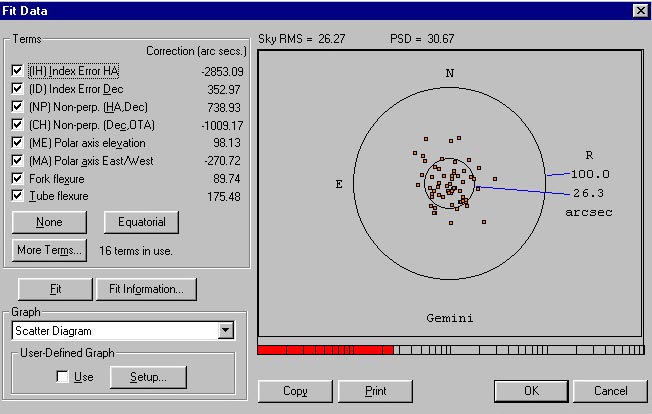
Note the Sky RMS pointing of 26.27 arc seconds.
While some manufacturers claim incredible accuracies with their GoTo systems, few will actually state actual results as shown above.
While single star alignment assumes that your Losmandy mount is accurately polar aligned, the Gemini system only requires rough polar alignment to deliver excellent pointing accuracy across the entire sky using multi-star alignment models.
 |
 |
 |
 |
 |
 |
 |
 |
 |
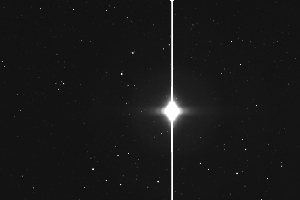
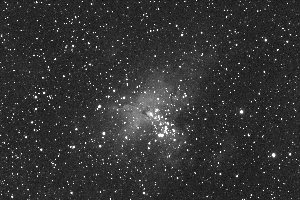
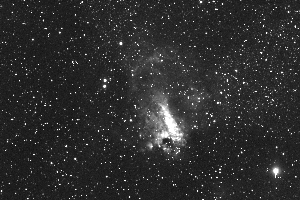
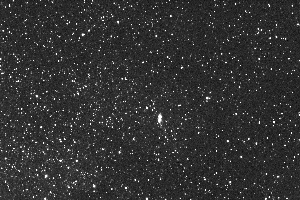
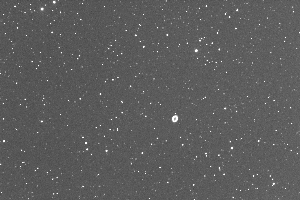
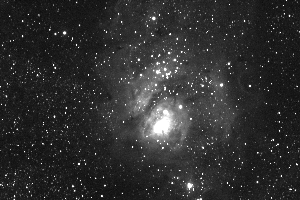
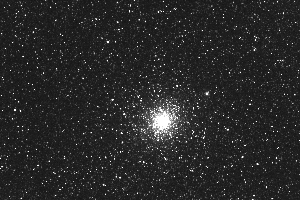
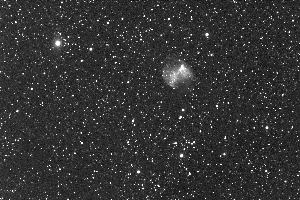
The above CCD image mosaic demonstrates the early pointing accuracy of the Gemin/G-11 system, using a three star alignment model, the telescope was slewed from (in rows, left to right) Antares, M16, M17, Bug Nebula, M57, M8, M22, M27, Optus 1b geosyncronous satellite (small streak lower frame). At the completion of each slew, no fine adjustment was performed, and a single 20 second CCD exposure was taken.
As can be clearly seen the tracking accuracy the Losmandy Gemini system is excellent even without PEC, which was not used in the above exposures, stars are perfectly round. The PEC menu allows for permanent error corrections to be stored in the non-volatile memory of the Gemini system.
Gemini +
The Ultimate Hand Controller
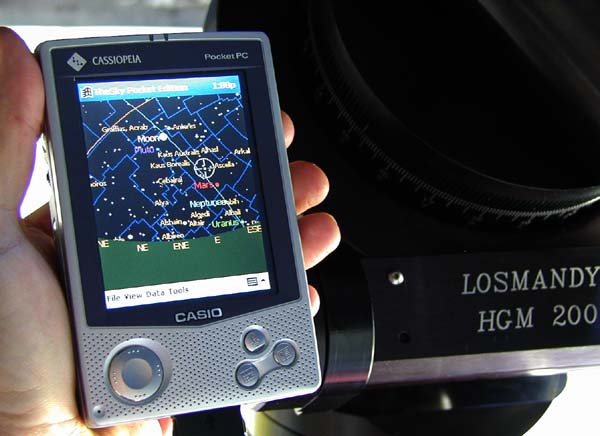
Pictured is above is an optional palm sized "Pocket PC" (using Windows CE operating system software) being used with "TheSky" pocket PC software to control a Losmandy/Gemini mount. What makes the system unique is Gemini's ability to align on a PC object. The ultimate performance of the system is limited by the speed of the processor in the Pocket PC, so you may find it preferable to operate the Gemini from a more capable PC or Macintosh computer.
Just tap on an object on the Palm PC display and slew to it. Any residual position errors can quickly be modeled by Gemini's additional align to PC object function.
Up to 256 stars on each side of the meridian can be used to create a pointing model. You do not have to know the name of the alignment star....just tap on it!
Only Losmandy Gemini gives you T-Point like accuracy in the field with no other software or accessories!
The model updates around the last alignment object, hence for short slews the system can easily position objects on "every commercially available CCD every time", a feat yet another telescope under $40,000 can now accomplish! ;-)
Gemini's non-volatile memory and Real Time Clock data also allows the system to be powered off, and restarted at a later time with no loss of modeling data or positional information. The re-start position accuracy is only limited by the accuracy of the internal clock, which can be updated to within a fraction of a second via a PC. These features make the Gemini system ideal for Astrometric and Photometric surveys (e.g. Comet and Asteroid hunting, Supernova patrols, Variable star studies) and are well suited to permanent telescope installations.
Gemini Troubleshooting Guide
Below are common problems that first time Gemini users can encounter. The list is far from exhaustive, but will help those looking for a quick solution.
Mount tracks for wrong hemisphere.
Make sure correct mount type, Latitude/Longitiude and time zone data has been entered.Can not enter single character object identifier, e.g. get getting M40 instead of M4
Use the HC buttons to scroll to the -> symbol to terminate data entry.Motor(s) Slew Uncontrollably on Start-Up
Probably a poor connection between main panel and motor. Re-seat motor cable connections. If this fails, try replacing/swapping cable which may be defective.Motor(s) Stall Error on Start-Up or During Operation
Check voltage of power source under load. This should be 18 volts DC for full featured operation, or with max slew speed reduced this may run off 13.8 volt DC.Strange Characters in Deluxe Hand Paddle display
Try Re-setting CMOS. Also check to see you have the latest EPROM softwareMount takes a long time to center object
The object may be close to a east or west limit, where it will slew the last few degrees in centering mode.Mount Continuously Beeps!
You have hit a east or west limit. Slew away from limit. If this happens straight after start-up, limits or lat/long may be incorrectly set. Cold start mount, check limits.Poor object centering accuracy
Check that you have not mis-identified a star. Make sure your mount is within a degree or two of the pole. Also when sighting stars make sure they are well spaced in RA and Dec, and are accurately centered prior to making an additional align. Many star diagonals will de-centre stars when the diagonal is rotated.Mount will not autoguide/calibrate
Check you are Photo-mode. The autoguider port will only work with this mode active. Make sure you have not left Gemini in Menu mode, and have switched back to Sidereal (or Solar/King)."Autoguider Error" on Display
You have plugged a SBIG ST7/8/9/10 or similar CCD system. TTL guider cable directly into the autoguider port. Gemini requires an optional optocoupler or SBIG relay box with these cameras. Only the standalone systems such as the SBIG Models ST4 and STV will plug directly into the autoguider port.